Ask any IT professional how many copies of an important file should exist and you will get the same answer: 3-2-1. Three copies. Two on different media or in different formats. One stored offsite.
The rule has been the standard for digital preservation for two decades. Photographer Peter Krogh distilled it in The DAM Book in 2005, and it spread far beyond photography because the logic does not care what the file is. The federal Cybersecurity and Infrastructure Security Agency (CISA) puts it in its own backup guidance under the heading “Follow the 3-2-1 backup rule.”
What is rarely done is applying it to family information.
Most families that have any Vault at all have one copy of it: the safe, or the password manager, or the encrypted folder, with nothing behind it. That is more than most people manage, and in the family systems I have seen, it is usually where the effort stops. One copy of family information is what the 3-2-1 rule is specifically designed to protect against.
If you are wondering how many copies of important documents you should keep, the answer is the one IT settled on long ago. The reasons are worth understanding before you count.
Why one copy is not enough, even a well-secured one
Four kinds of failure take out single-copy storage. A working family-information system has to survive all four.
Physical loss. Fire, flood, theft. A fireproof safe is rated for a specific temperature over a specific number of minutes, and not every fire fits the rating. A safe-deposit box is inaccessible when the branch is closed or damaged, or when the person standing at the counter cannot prove they are allowed to open it.
Digital loss. Platforms go offline. Accounts get locked. Vendors get acquired, change their terms, or shut down. A password manager outage is an inconvenience, unless the recovery codes for the master password live inside the same platform, in which case it is the failure the Vault Key Rule exists to prevent.
Device loss. A failed laptop, a stolen phone, a computer destroyed in the same event that threatened the home safe. Any system that depends on one specific device to open the Vault is exactly as durable as that device.
Human loss. Incapacity or death of the person who built the system. If the only person who can open the Vault is the person who is now unavailable, the Vault has failed at the moment it was built for.
Each of these is rare in any given year. Across decades, which is the timescale family information has to survive, at least one of them happens to nearly every family. The 3-2-1 rule is not paranoia — it is the standard threshold for a system that has to survive its own failure modes.
How many copies of important documents should you keep?
Three. Two of them in different formats, such as a printed binder in a fireproof home safe plus an encrypted digital copy in a password manager. One of the three stored offsite, in a location independent of your home and your primary devices. That is the 3-2-1 standard, and it applies to your Vault and Secure Guide, not to every file you own.
What 3-2-1 looks like for family information
Translated into the FIRM System, the rule reads like this.
3 copies of your Vault and Secure Guide exist.
2 are stored on different media or in different formats: one physical, one digital, for example.
1 is stored offsite, in a location independent of your home and your primary devices. A sealed copy with your estate attorney. A safe-deposit box at a separate institution. A separately encrypted copy in a place you do not have to trust.
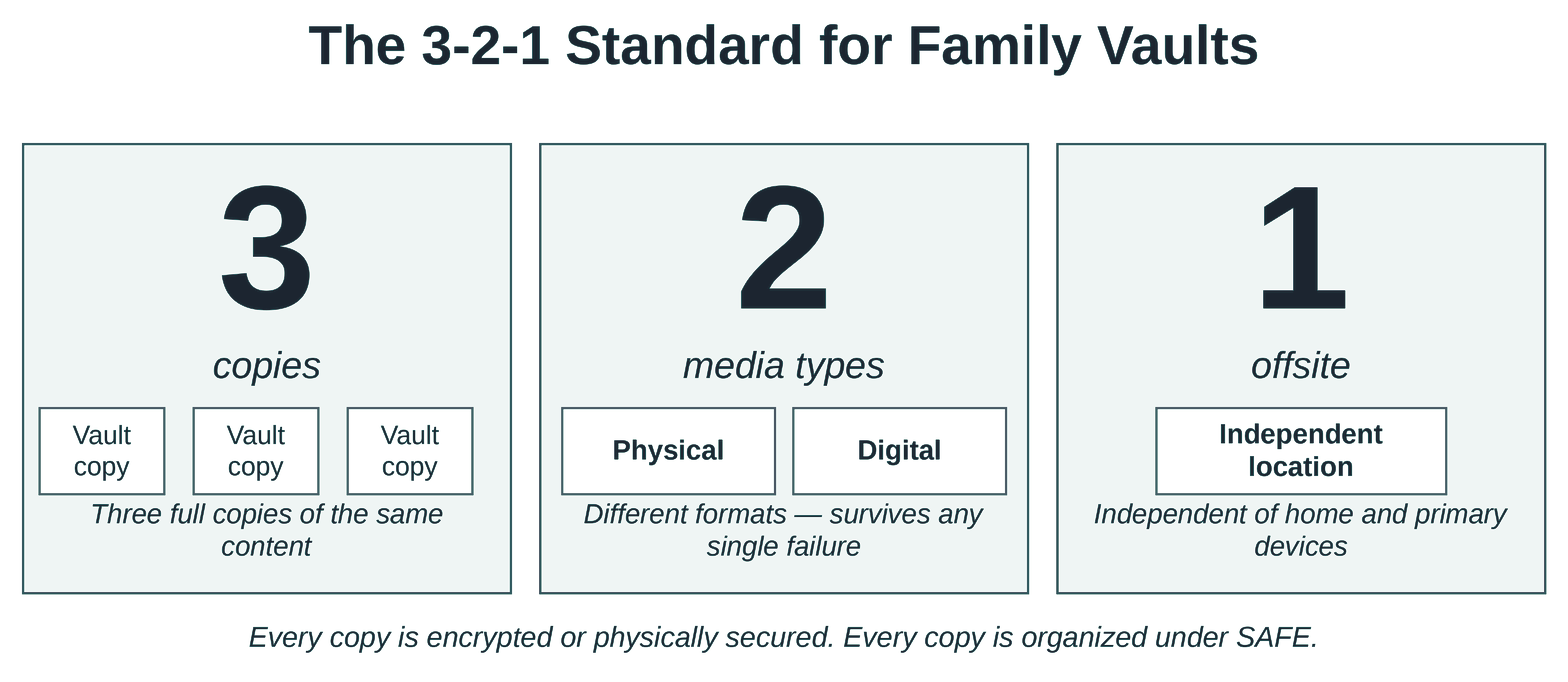
Each of those locations is a Vault in its own right. The Campbells, whose affairs involve trusts and multiple advisors, run it this way: the home safe holds the Secure Guide and the original estate documents, a password manager and an encrypted folder hold the digital side, and a sealed packet with their estate attorney holds a printed Secure Guide plus the access strategy for every other Vault. That is more than most families need. It is not more than the Campbells’ obligations require.
A simpler family system can begin with two copies and add the offsite third as the system matures. That is acceptable as a transition, not as a permanent configuration, because the third copy is the one that protects against the failures the first two cannot survive. Ransomware is the plainest example: it encrypts everything it can reach, including the external drive that is plugged in and the cloud folder that syncs. A copy that is disconnected from your devices whenever it is not being updated is the copy that is still there afterward.
Redundancy is not relaxed security
The common mistake, once a family realizes it needs more than one copy, is to make the second and third copies more accessible than the first. Email a copy to a spouse for safekeeping. Leave an unencrypted version in a shared cloud folder. Print the master passphrase and tape it inside a kitchen cabinet.
Each of these trades security for accessibility in a way that undermines the system. A second copy of the Secure Guide sitting in an unprotected location is not a backup. It is a breach waiting to happen. This is the third of the book’s Five Principles, Redundancy Without Exposure: a system must survive disruption without increasing risk, and a copy that is easier to steal than the original increases it.
Every copy lives inside a Vault. Every Vault enforces the same security standard as the first. If you cannot bring a copy under that standard, do not create the copy.
The next step
Count your copies. If you have one Vault, you have one copy. If you have a fireproof safe with the will and a password manager with the credentials, you have one copy of each, not two copies of one. The standard is per system, not in aggregate.
Then name the gap. Two copies and nothing offsite: name the offsite location. One copy and no second format: decide which format to add. None yet: the first copy is the next project. The schedule, the media, and the recovery test are worked out in the Backup and Synchronize Module; none of that is needed for the first step.
You do not need to close the gap this week. You need to know it exists.
A Vault that survives every failure its family will meet is not exotic or expensive. It meets a standard the rest of the world settled on twenty years ago, applied carefully, one copy at a time, to the information your family will eventually need most.
If you want to know where the rest of your system stands, the free Recoverability Self-Assessment takes about ten minutes and tells you which area to start with.